
Zintego - Invoice Maker
Monster Brain Studios LimitedBusiness
4.653.00 Reviews
- Version
- 1.6.1
- Installs
- 100.00K
- Age Rating
- Everyone
Screenshots
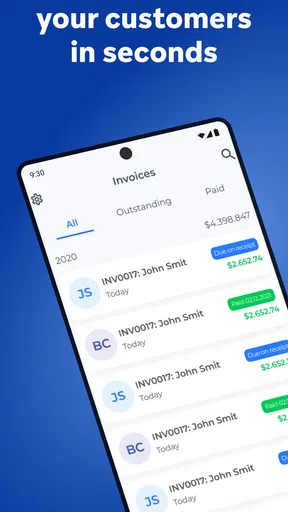
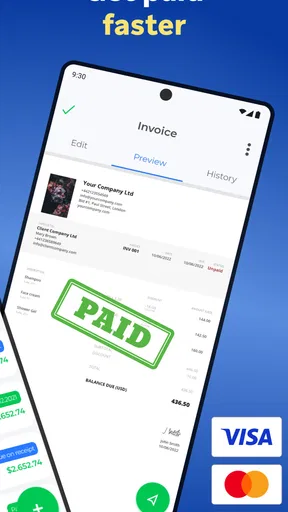
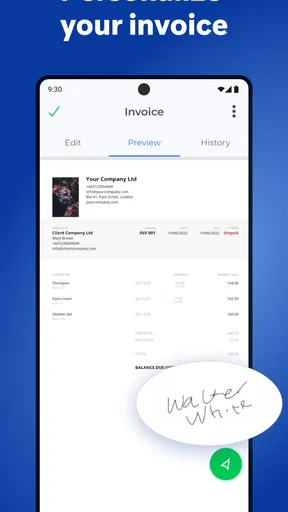
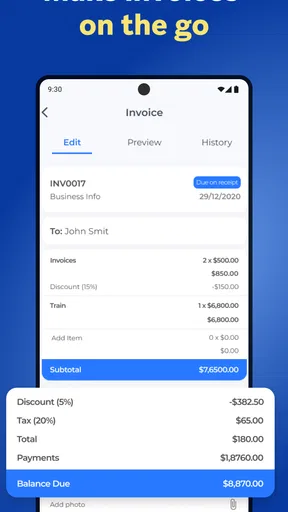
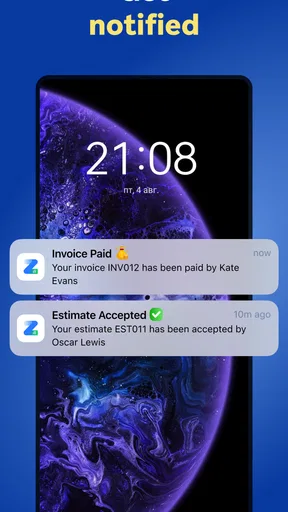
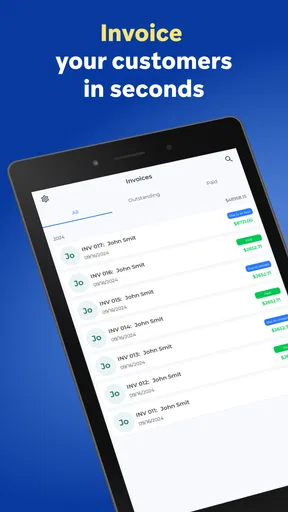
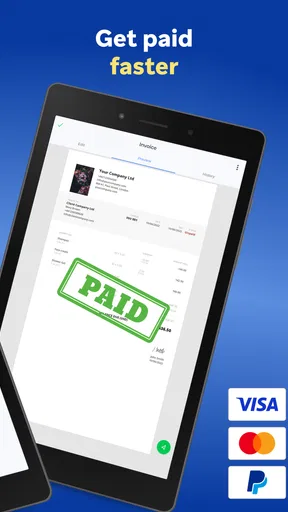
Our Review of Zintego - Invoice Maker
 Analysis by Appyee
When I need to send an invoice without opening a complicated accounting system, I want a tool that gets me from customer details to a professional-looking document with as little friction as possible. That is the space Zintego - Invoice Maker tries to occupy. It is a free business app from Monster Brain Studios Limited, aimed at people who need straightforward invoicing rather than a complete finance department in their pocket.
My overall impression is that it makes the most sense for freelancers, small service providers, occasional sellers, and anyone who wants a simpler alternative to building invoices manually. It is less convincing as a replacement for a full bookkeeping platform. The important question is not whether it can create an invoice, but whether its simpler workflow matches the way you already work.
Choosing an invoice app without creating extra work
I judge an invoice maker by a few practical things: how quickly I can prepare a document, how much information I need to enter repeatedly, whether the result looks suitable for a real customer, and how easily the app fits into the rest of my routine. A beautiful template is useful, but it does not help much if correcting a mistake or finding an older invoice becomes awkward.
Zintego is listed in the Business category and carries an Everyone age rating, which reflects its broad, practical purpose. It is not presented as an industry-specific system for accountants, construction companies, or large teams. That general approach is helpful if my work is varied, but it also means I should not expect the depth of a dedicated accounting package.
The app has reached over one hundred thousand installs and holds a 4.6 average from around one thousand six hundred ratings. Those figures suggest that the basic idea is connecting with a meaningful group of users, although popularity alone does not tell me whether it matches my particular workflow. I still need to think about the type of business I run and how often I invoice.
For someone sending a few invoices each month, simplicity can matter more than advanced reporting. I would rather spend a short session entering the client, service, amount, and payment details than learn a system designed around inventory, payroll, tax reports, and account reconciliation. On the other hand, if I already depend on those areas, a lightweight invoice app may leave too much work outside the app.
The first workflow I would test
I would begin with a normal real-world job rather than a blank experiment. Imagine I have finished a small design project for a local customer. I need the customer information, a clear description of the work, the amount due, and an invoice that I can send without making the recipient wonder whether it is legitimate.
That test reveals more than simply opening the app and browsing its screens. I would check whether entering line items feels natural, whether totals are easy to review, and whether I can spot an accidental extra zero before sending the document. Invoice software should reduce avoidable mistakes, not hide important details behind decorative screens.
A useful habit is to prepare a consistent naming pattern for clients and services before creating several documents. Even when an app is simple, tidy input makes later searching and reviewing much easier. I would also keep a copy of the final document in the same place as my other business records, rather than treating the invoice app as the only archive.
Why the straightforward approach works
The strongest appeal here is the narrow focus. Instead of asking me to configure an entire business, an invoice maker can concentrate on the document I need right now. That is particularly valuable when I am working from a phone between appointments, finishing a job away from my desk, or responding to a customer who has just requested billing details.
I also like this kind of app for occasional work. A person who sells a service on the side may not want a monthly accounting commitment or a large desktop program. A free starting point makes it easier to test a basic invoicing routine before deciding whether more elaborate software is justified.
The current version is 1.6.1, and the app supports devices running Android 6.0 or later. That gives it a relatively broad compatibility range for Android users, including people who do not replace their phones frequently. Compatibility is worth checking before planning a business workflow, because changing devices or operating systems can become inconvenient when invoices are already part of daily work.
Where Zintego earns its place
The app’s best position is as a focused tool for producing invoices without the mental overhead of a full business suite. If I am a tutor, cleaner, photographer, repair worker, consultant, or independent seller, my immediate need may be a clear bill rather than a complete financial dashboard. In that situation, a smaller app can feel more approachable than software built for a larger organization.
There is also a useful psychological advantage to keeping invoicing separate from more demanding business tasks. When accounts, expenses, tax preparation, and customer communication all live in one complicated system, a small job can feel like an administrative project. A dedicated invoice tool encourages me to finish the billing step while the work is still fresh.
Another practical strength is the possibility of using it as a repeatable checkpoint. After completing a job, I can make invoice creation part of the same routine as confirming delivery and noting the payment terms. That is better than relying on memory at the end of the week. The app does not need to manage every part of my business to be useful; it only needs to make this one step dependable.
A better routine than creating documents from scratch
I would not use any invoice app by improvising every document. Before regular use, I would decide how I name services, how I describe quantities, and how I present payment instructions. For example, instead of writing a vague line such as “work completed,” I would use a description that tells the customer what the charge covers.
This is one of the less obvious trade-offs with simple tools: they can make document creation easy, but they cannot replace a consistent business process. The more thought I put into my standard wording, the more professional the results become. I would prepare a few common descriptions in my notes and use them consistently, while still checking each invoice for the details of that particular job.
I would also review the customer and amount fields slowly before finalizing anything. A quick invoice is not necessarily a good invoice if the recipient’s name is misspelled or the service description is unclear. The app can shorten the mechanical part of billing, but my review remains the quality-control step.
Who benefits most from the free entry point
Zintego is free to start, which lowers the barrier for a new freelancer or a small operation testing digital invoicing for the first time. That matters when I am moving away from handwritten bills or manually formatted documents and do not yet know how much I will use the software.
There are in-app purchases ranging from $6.99 to $199.99 per item, so I would pay attention to what I am selecting before committing to any optional purchase. The wide range indicates that the free experience should not automatically be treated as the complete long-term arrangement. I would first establish whether the basic workflow suits me, then decide whether any paid option solves a problem I genuinely have.
My advice is to judge a paid upgrade by saved time and reduced errors, not by the promise of having more options. If I only create a handful of invoices, a purchase may not make sense. If the app becomes central to regular billing, I would compare the cost of staying with it against the cost of moving to a broader service, including the time needed to rebuild my records elsewhere.
Where a different category may be better
Someone who needs inventory tracking, recurring billing, expense management, tax preparation, payment reconciliation, or detailed financial reports should look beyond a focused invoice maker. A full accounting platform is usually a better fit when invoices are only one part of a connected financial process.
A team may also prefer software built around shared access and centralized records. If several people need to issue documents, check payment status, and coordinate customer accounts, a personal mobile workflow can become difficult to control. In that case, the advantage of a simple app may disappear because the business needs collaboration more than speed.
There is a separate case for a desktop-first solution. If I spend most of my day at a computer and already use spreadsheets or accounting software, adding another app could create duplicate entry. The convenience of mobile invoicing is valuable only when it removes a step rather than adding another place where information must be maintained.
For users who operate in a regulated or highly specialized environment, I would be especially careful. A general invoice maker may be perfectly adequate for ordinary service billing, but businesses with complex tax rules, industry-specific fields, or strict recordkeeping obligations should choose a system designed around those requirements.
The real cost of switching
Moving to Zintego is easy to imagine when starting from paper or casual documents, but switching away later deserves equal attention. Before making it the center of my process, I would decide how I plan to preserve completed invoices and customer information. A simple export or storage routine can prevent a painful scramble if I eventually need a different system.
I would keep business records in an organized external location and use recognizable file names. For example, including the customer and invoice date in the name makes it easier to locate a document later. That approach is useful regardless of the app, but it becomes especially important when I am not relying on a complete accounting archive.
I would also avoid entering the same customer in slightly different ways. Small inconsistencies can make a personal invoice history harder to review and can complicate a future move. A clean customer list is one of the most valuable investments I can make when adopting a lightweight billing workflow.
The switching cost is therefore not just money. It includes learning a new process, checking old documents, and making sure no unpaid invoice is forgotten. Zintego can be a sensible starting point, but I would treat record organization as my responsibility from the first invoice rather than waiting until the business grows.
Everyday scenarios where the choice becomes clear
Suppose I repair bicycles on weekends and send a few bills after each job. I probably need speed, readable descriptions, and a way to finish the administrative task from my phone. A focused invoice app is likely to feel more appropriate than an accounting suite with features I will never touch.
Now imagine I run a small online shop with many products and frequent stock changes. In that situation, creating individual invoices may be only one part of the problem. I would want the billing process connected to orders, inventory, and payment records, so a broader commerce or accounting solution would likely save more time overall.
For a consultant who sends regular invoices to a small group of clients, the decision depends on volume and organization. Zintego may be comfortable if the consultant mainly needs clear documents and keeps financial reporting elsewhere. If the consultant needs recurring schedules, aging reports, and automatic payment follow-up, a more comprehensive service would be the stronger choice.
These examples show why I would not call the app universally better than its alternatives. It wins when the invoice itself is the main task. It loses when invoicing must be tightly connected to operations that happen before or after the document is created.
Small checks that prevent large billing problems
Before sending an invoice, I would verify four things: the recipient, the service description, the amount, and the payment instructions. I would then open the final document as a customer might and check whether the important information is easy to find. This takes less time than correcting a confusing bill later.
I would create invoices soon after completing work rather than collecting them for one large batch. Delayed billing makes it easier to forget a small job or confuse one customer’s details with another’s. A mobile-first tool is most useful when I make it part of the completion routine.
I would also separate draft thinking from final sending. If I am still deciding the wording or checking the amount, I would not rush through the final step simply because the app makes document creation quick. Speed is a benefit only when the review remains careful.
My recommendation after weighing the alternatives
I recommend Zintego - Invoice Maker to independent workers and small businesses that want a direct way to prepare invoices without adopting a full accounting system. Its free availability, broad Android compatibility, and focused business purpose make it a reasonable first step for people moving away from informal billing.
I would especially consider it for occasional service work, mobile professionals, and new freelancers who want to build a repeatable invoicing habit. The app’s 4.6 average and more than one hundred thousand installs make it look established enough to investigate, while the 53 written reviews suggest that I should still form my own opinion through actual use rather than relying on a headline rating.
I would skip it if my main requirement is connected bookkeeping, team administration, inventory, complex tax handling, or detailed payment reporting. In those cases, a broader accounting or commerce platform is more likely to justify its extra complexity. The wrong choice would be using a simple invoice tool and then recreating all the missing business processes in spreadsheets.
My practical approach would be to start with one ordinary customer and one complete billing cycle. I would test how quickly I can create a clear invoice, how comfortably I can review it, and how I will store the finished record. If those steps feel natural, the app can become a useful part of a small business routine. If they expose too much manual work, that is a clear sign to choose a more integrated alternative.
In short, Zintego - Invoice Maker is most convincing when I need a clean, focused answer to one question: how do I produce an invoice now? It is not the tool I would choose to run an entire financial operation, but for straightforward billing, that limited scope can be exactly its advantage. The best reason to use it is not that it does everything, but that it may keep one important business task from becoming unnecessarily complicated.
Verdict
Strengths of Zintego - Invoice Maker
- Creates professional invoices quickly from your phone.
- Supports estimates, receipts, and other useful business documents.
- Helps organize customer and product information in one place.
- Useful for freelancers and small businesses managing billing on the go.
- Can simplify payment tracking and reduce manual paperwork.
Limitations of Zintego - Invoice Maker
- Advanced features may require a paid subscription.
- Some customization options can feel limited for complex invoices.
- Cloud syncing may depend on account access and internet connectivity.
- Not ideal for large companies needing detailed accounting tools.
- Users may need to verify tax and invoice rules for their region.
Similar Picks in This Category
View All
LinkedIn: Community & Network
LinkedIn3.8

Zoom Workplace
zoom.com4.1

Microsoft Teams
Microsoft Corporation4.6

Meta Business Suite
Meta Platforms, Inc.4.6

Webex Meetings
Cisco Systems, Inc.4.5

TeamViewer Remote Control
TeamViewer4.4
Frequently Asked Questions
What is Zintego - Invoice Maker used for?
Zintego - Invoice Maker is designed to help freelancers, contractors, small businesses, and independent professionals create and manage invoices from a mobile device. After reviewing its workflow, the app appears focused on making invoice preparation faster by letting you enter customer details, add products or services, calculate totals, and produce professional-looking documents without relying on complicated accounting software.
Can I create professional invoices with Zintego?
Yes, Zintego provides tools for preparing invoices with business information, client details, item descriptions, prices, quantities, taxes, discounts, and payment information. The invoice layout is intended to look presentable when shared with customers. Before downloading, users should check which templates, branding options, currency settings, and customization features are included in the current version, as availability may depend on the plan or platform.
Can invoices created in Zintego be sent to customers?
Zintego is built to make completed invoices easy to share after they have been prepared. Depending on the device and the version installed, users may be able to send invoices through email, messaging applications, or other sharing options, usually as a digital document such as a PDF. It is worth confirming the available export and sharing tools before subscribing, especially if regular client communication is important.
Is Zintego - Invoice Maker free to use?
The app may offer free access to some invoice-making functions, while additional tools or continued use may require in-app purchases or a subscription. The exact pricing, trial conditions, and feature limits can change, so users should review the store listing and payment screen carefully before confirming anything. Pay particular attention to renewal terms, cancellation instructions, and whether a trial automatically converts into a paid plan.
Is Zintego suitable for managing a complete business accounting system?
Zintego can be useful for creating invoices and organizing basic billing tasks, but it should not automatically be considered a complete accounting solution. Users who need advanced bookkeeping, payroll, inventory control, bank reconciliation, detailed tax reporting, or multi-user business management may require dedicated accounting software. For simple invoicing and client billing, however, its mobile-focused approach can be convenient for working while traveling or away from a computer.
